
Compare · Competitor guides
Beacons.ai — The all-in-one creator platform, fees included, India optional
Beacons (beacons.ai) is a US-leaning creator OS: link-in-bio, store, email, media kit, and automations in one login. It is what SuperKreator is aiming at structurally — minus India-first UPI.
Last updated September 10, 2026 · 11 min read · Edited by SuperKreator editorial (Graphity Technology Private Limited)
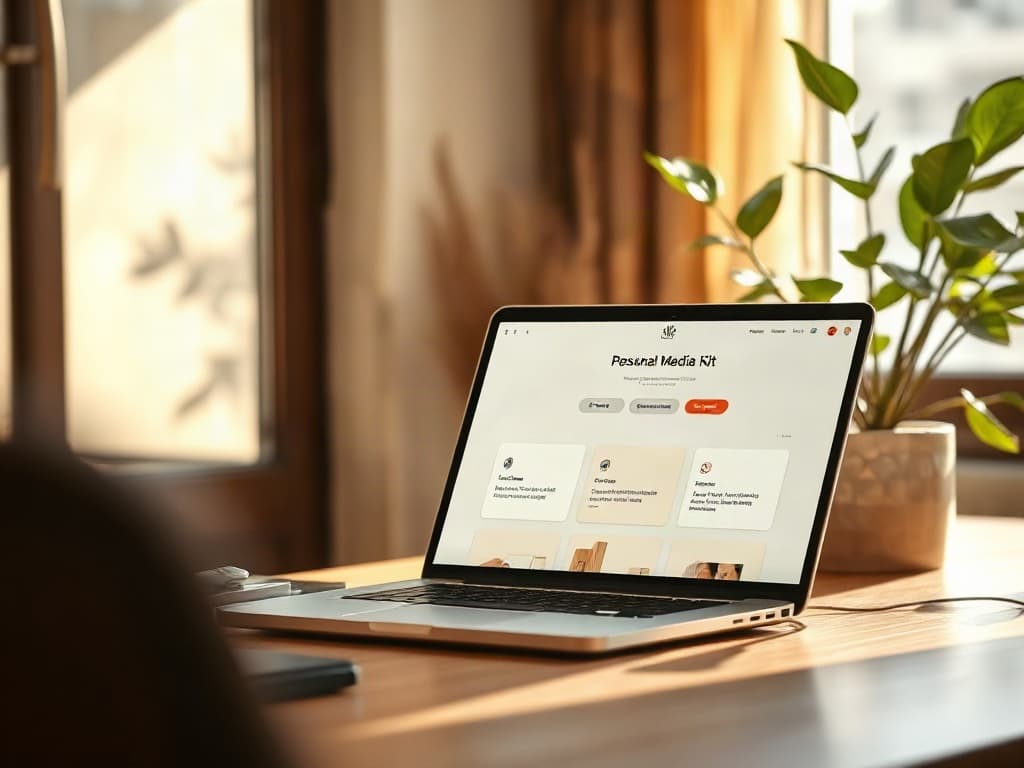
Beacons is the closest product shape to SuperKreator in this series: one login that tries to replace Linktree, a store, an ESP, and a media kit. Official help (edited November 2025) lists four plans — Free, Creator, Creator Plus, Creator Max — and is blunt about the 9% transaction fee on Free and Creator.
People search Beacons when they want “Linktree but I can sell,” or when they have heard it called Beacons AI. They should also search the fee table. A free bio page that takes 9% of every sale is not free commerce.
This guide stays on official Beacons help for prices and fees, then compares the stack to an India-first store. Beacons can win on email and media kits. It does not win on UPI.
What is Beacons?
Beacons is a hosted creator operating system. The public page is a link-in-bio; the paid surface is a store, email sends, automations, a media kit, and (on higher plans) courses, memberships, and BNPL.
It is often written “Beacons AI.” That is branding around AI credits and outreach, not a different company. The canonical site is beacons.ai.
Unlike ManyChat, Beacons is trying to be the merchant. Unlike Metricool, it is not trying to be an agency analytics suite. The overlap with SuperKreator is intentional: both argue that the bio, the offer, and the follow-up should share a customer.
How does Beacons work?
You claim a Beacons page, drop links and products on it, and share one URL. Email capture and automations sit behind the same account (send limits depend on plan). Brand-deal creators use the media kit as a leave-behind instead of a Notion doc.
Checkout runs through Beacons’ commerce stack. Payment processing (typically Stripe/PayPal class) is in addition to Beacons’ own seller fee on the lower tiers. Official help: 9% on Free and Creator, 0% on Creator Plus and Creator Max, with invoices called out as 0% even on Creator.
If you sell more than a hobby, the interesting math is not “$0 vs $10” — it is 9% of GMV vs $30/month with 0%. Beacons’ own help frames Plus as the plan for “pro sellers.”
Key features of Beacons
From Beacons’ pricing help article:
- Unlimited links, customizable page, 5 link-in-bio pages on Free.
- Store on Free, with the 9% fee.
- Media kit on Free.
- Email: 50 sends/month on Free, 500 on Creator, unlimited on Plus.
- Creator ($10/mo or $100/year): custom domain (first year free, per help), email automations, AI brand outreach. 9% seller fees remain except invoices.
- Creator Plus ($30/mo or $300/year): 0% transaction fees, BNPL, memberships and courses, order bumps, logo removal.
- Creator Max ($90/mo or $900/year): Google Workspace, NFC card, white-glove onboarding.
That is a broader “creator HQ” than Linktree, and a broader email story than SuperKreator currently ships.
Who is Beacons best for?
Beacons fits when:
- Your audience checks out with cards/PayPal, not UPI.
- You need a media kit in the same product as the bio.
- You will actually use email (the send caps make this obvious).
- You can justify Creator Plus once GMV makes 9% silly.
It is a weaker fit when the money is Indian digital products and Instagram comments. That is Superprofile or SuperKreator territory.
Beacons pricing
Official figures from Beacons help (November 2025). Re-check before you subscribe.
| Plan | Subscription | Seller fee (help) |
|---|---|---|
| Free | $0 | 9% on sales |
| Creator | $10/month or $100/year | 9% (invoices 0%) |
| Creator Plus | $30/month or $300/year | 0% |
| Creator Max | $90/month or $900/year | 0% (included with Plus features) |
Processor fees still apply on every plan. Annual billing is the $100 / $300 / $900 numbers above — roughly two months free versus monthly.
India caveat: even at 0% Beacons fee, if the buyer cannot pay in UPI, you did not get a cheaper plan — you lost the sale. Model conversion, not only the percentage.
Advantages of Beacons
- Genuine all-in-one: bio, store, email, media kit.
- Transparent fee cliff: 9% then 0% at Plus.
- Courses/memberships/BNPL on Plus without bolting Kajabi on day one.
- Multiple bio pages on Free, which Linktree-style tools often gate.
- Max-tier extras (Workspace, NFC) for people who run a small company, not a hobby page.
Limitations of Beacons
- 9% until Plus. “Free” commerce is expensive at modest volume.
- Not an India product. UPI, GST invoices, and Cashfree are not the pitch.
- Instagram AutoDM is not ManyChat. Do not buy Beacons as a WhatsApp CPaaS.
- USD pricing for Indian operators, plus FX on the subscription.
- You still will not get Metricool-grade analytics or Graphy-grade DRM.
Beacons alternatives
- SuperKreator — India UPI store + bio; weaker email/media-kit story today.
- Stan Store — 0% platform fee, no free plan, Instagram-native shop.
- Linktree — if you only needed the directory and Beacons is overweight.
- Gumroad — merchant of record, no monthly, no media kit.
Beacons vs SuperKreator
Beacons wins email, media kits, BNPL, published fee schedule, and a longer public track record as an all-in-one.
SuperKreator wins Indian checkout (Cashfree UPI) and a product that assumes Instagram + YouTube + rupees rather than brand-deal PDFs.
Tie: “one username instead of four tools” is the shared thesis. The rails underneath are not interchangeable.
When should you choose Beacons?
Choose Beacons when Stripe/PayPal is how you get paid, you will send email, and you either stay tiny on Free or you jump to Plus to kill the 9%. Choose Max if you actually want Workspace and concierge onboarding — not because the landing page looks premium.
When should you consider SuperKreator?
Consider SuperKreator when the abandoned cart is a UPI intent, not a missing media kit. If you need Beacons’ email engine, keep it and attach SuperKreator as the India shop — or wait until SuperKreator grows that surface.
Comparison
Two all-in-ones on different payment planets. Email and media kits are Beacons’ home turf.
| Dimension | Beacons | SuperKreator |
|---|---|---|
| All-in-one scope | Bio, store, email, media kit, courses on Plus | Bio, UPI store, AutoDM/planner/LIVE as the thesis |
| Seller fees | 9% on Free/Creator, 0% on Plus/Max (official help) | No published SuperKreator take; Cashfree processor fees apply |
| India UPI | Not the product | Cashfree UPI, cards, net banking Stronger here |
| Email & media kit | First-class, with send caps by plan Stronger here | Not a comparable ESP or media-kit product today |
| Published price grid | Yes, in help docs Stronger here | Free to start; paid amounts not publicly listed |
| Best for | Card-economy creators who want HQ in one tab | Indian creators selling digital goods in INR |
Conclusion
If your buyers pay in dollars on Stripe and you want a media kit plus email in the same tab as the bio, Beacons is a coherent product — especially once you are on Creator Plus and the seller fee drops to 0%. SuperKreator is not going to beat Beacons at Google Workspace or NFC cards.
If your buyers tap UPI, start from an India checkout, not from a US creator suite. SuperKreator is built for that rail. You can still keep Beacons for brand-deal PDFs if that is a separate business.
Frequently asked questions
What is Beacons.ai?+
Beacons is an all-in-one creator platform: link-in-bio, store, email, media kit, and higher-plan courses/memberships. “Beacons AI” is the same product.
Is Beacons free?+
There is a $0 plan with a 9% transaction fee on sales. Email is capped at 50 sends per month on Free.
How much does Beacons cost?+
Official help: Creator $10/month or $100/year, Plus $30/$300, Max $90/$900, plus processor fees. Seller fee is 9% until Plus.
Does Beacons support UPI?+
UPI is not what Beacons is known for. Indian creators who need UPI typically use Superprofile, SuperKreator, or a local gateway instead of expecting Beacons to be the India merchant.
When does the 9% fee go away?+
On Creator Plus and Creator Max, according to Beacons help. Creator at $10/month still includes the 9% (except invoices).
What are the best Beacons alternatives?+
SuperKreator or Superprofile for India UPI; Stan Store for 0% platform fee shops; Linktree if you only needed links; Gumroad if you want merchant-of-record simplicity.
Beacons vs SuperKreator?+
Beacons is stronger as a US-style creator HQ (email, media kit, published fees). SuperKreator is stronger as an India store on the bio. Pick the rail your buyers already use.
Sources
Figures, prices, and vendor claims change. Prefer the original page over this list.
- Beacons help: Pricing Plans · accessed 2026-09-10
SuperKreator
Bio, UPI store, and the rest of the workspace — free to start.
India-first ladder on the homepage: Creator ₹99/month (₹9 first month, highlighted), Free ₹0, Live ₹499/month, Business custom. GST extra. Cashfree processor fees apply on sales. SuperKreator does not currently publish a platform seller-fee percentage.
Related
Competitor guides
Linktree — How the default bio link works, what it costs, and when to leave it
Linktree is the default public page many creators put in an Instagram, TikTok, or YouTube bio so followers can reach more than one destination from a single URL.
Updated 2026-09-10 · 12 min

Competitor guides
Stan Store — 0% platform fees, no free plan, and a shop that lives on Instagram
Stan Store is an Instagram-native shop for digital products, courses, bookings, and memberships. It charges a monthly subscription and 0% platform fee — and it does not offer a free store.
Updated 2026-09-10 · 11 min

Competitor guides
Gumroad — 10% + $0.50, Discover’s 30%, and when merchant-of-record beats a UPI store
Gumroad lets anyone sell digital products, memberships, and courses with no monthly fee. You pay a percentage per sale. Since 2025 Gumroad has positioned itself as the merchant of record for tax.
Updated 2026-09-10 · 11 min

Competitor guides
Superprofile — India’s creator store and AutoDM stack, explained without the pitch
Superprofile (also styled SuperProfile) is an India-first creator toolkit: link-in-bio store, UPI checkout, courses and bookings, lead magnets, and Instagram AutoDM. It is the closest full-stack competitor to SuperKreator for Indian creators.
Updated 2026-09-10 · 14 min