
Make the page yours
Choose a theme, colors, fonts, header, and button style to fit your creator brand.
One home for your links
Give people one clear place to go after they find you. Build a public creator page around your work, then add the links and blocks that help visitors take the next step.
Explore the product at your pace. You choose what to publish or activate.
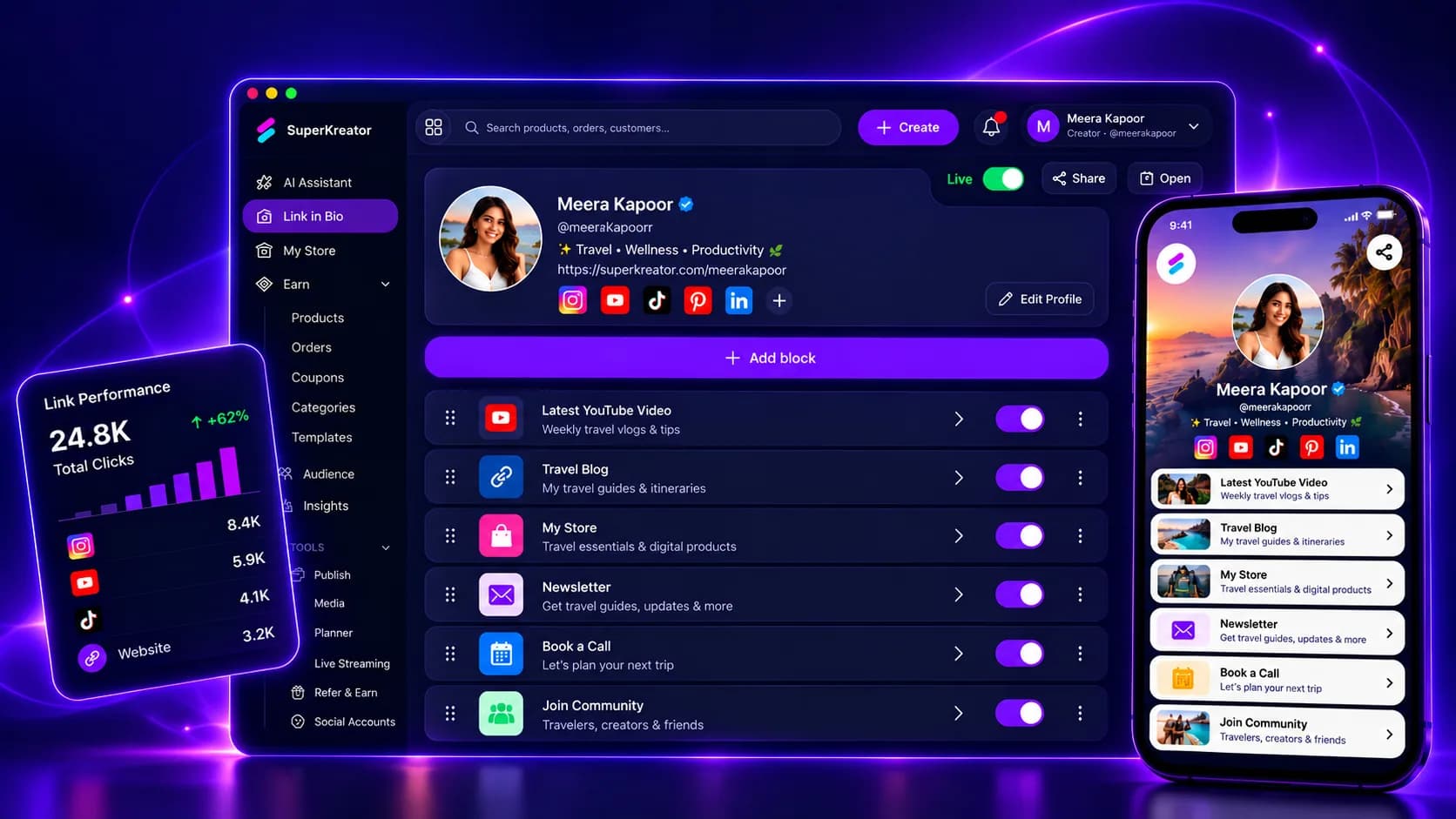
What you can do
Choose a theme, colors, fonts, header, and button style to fit your creator brand.
Add links, products, forms, galleries, events, PDFs, contact options, and more as page blocks.
Use link and page insights to understand what visitors click and where they go next.
How it works
Each step stays in your control, from setup through sharing.
Choose a username, add your bio and avatar, and connect the social profiles you want to show.
Put your most important destination first, then add the other links and content visitors need.
Review the public page, publish it, and add its URL to your social profiles.
Know what the feature does, what it connects to, and what stays in your hands.
Questions creators ask
Yes. Add product or shop blocks alongside social links, forms, galleries, and other page content.
No. You can publish a creator page with links and content without opening a store.
Yes. The appearance editor includes themes and controls for the page header, background, buttons, colors, and fonts.