
Blog · Articles
What you can run from one SuperKreator login
Eight products, one workspace. Start with the link. Add the shop, the DM, and the stream when that is where the sale happens.
Last updated October 6, 2026 · 6 min read · Edited by SuperKreator editorial (Graphity Technology Private Limited)
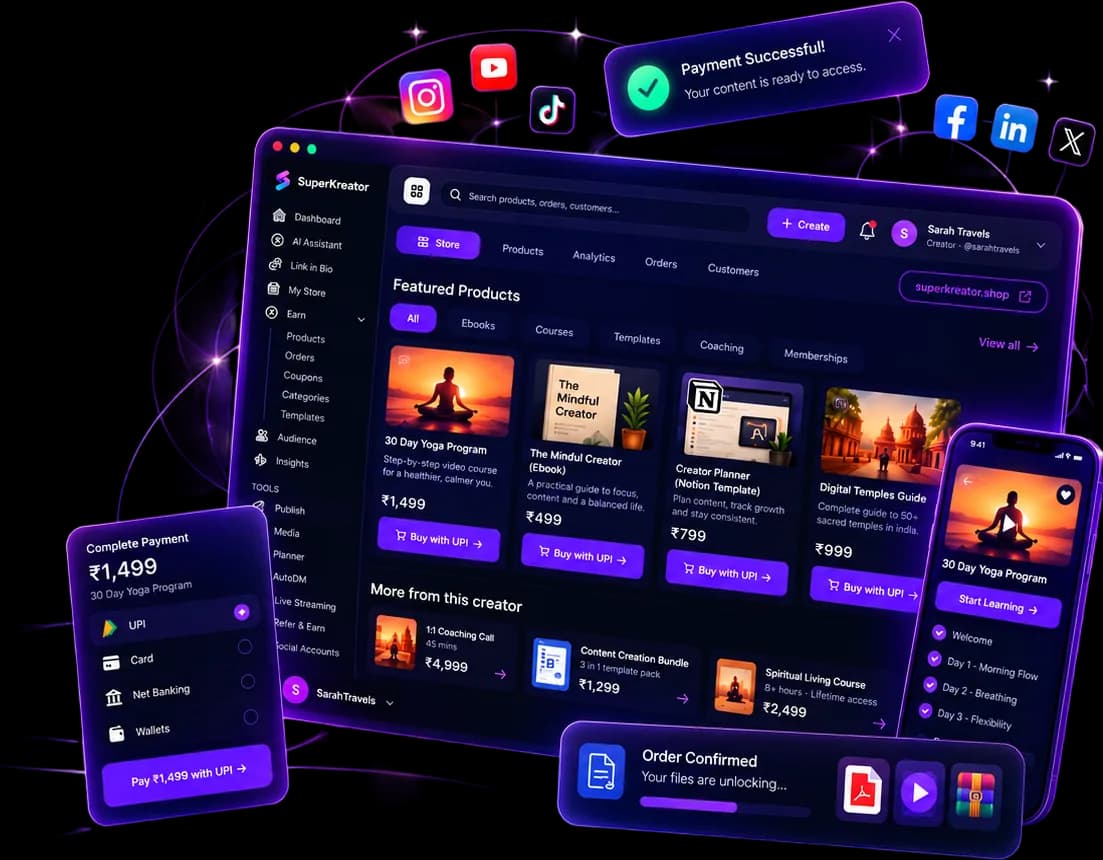
SuperKreator is one login for the jobs Indian creators usually split across a bio tool, a shop, a comment bot, a scheduler, and a streaming PC.
A profile visit lands on your link. A comment can become a DM and a UPI checkout. Planner and auto publish keep Instagram and YouTube posting. LIVE keeps a channel on from video you already uploaded. Agents can run the same workspace from Claude or Cursor.
How the products connect
Someone finds you on Instagram or YouTube. The bio link is the front door. AutoDM answers while the reel is still moving. The store takes the payment in rupees and delivers the file. Planner and auto publish are how the next post goes out without you staying online. LIVE is the channel that stays up overnight.
Link in bio
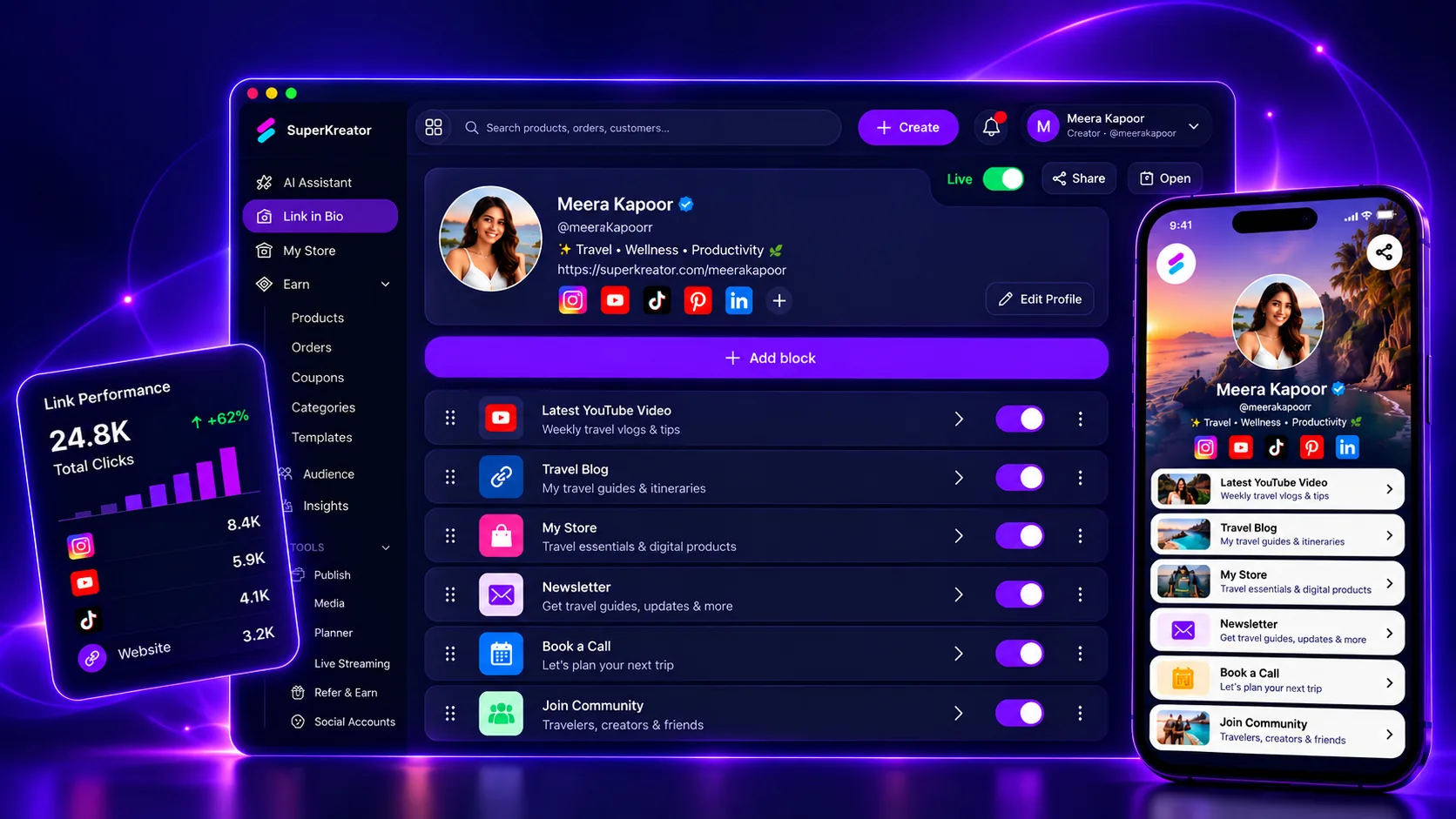
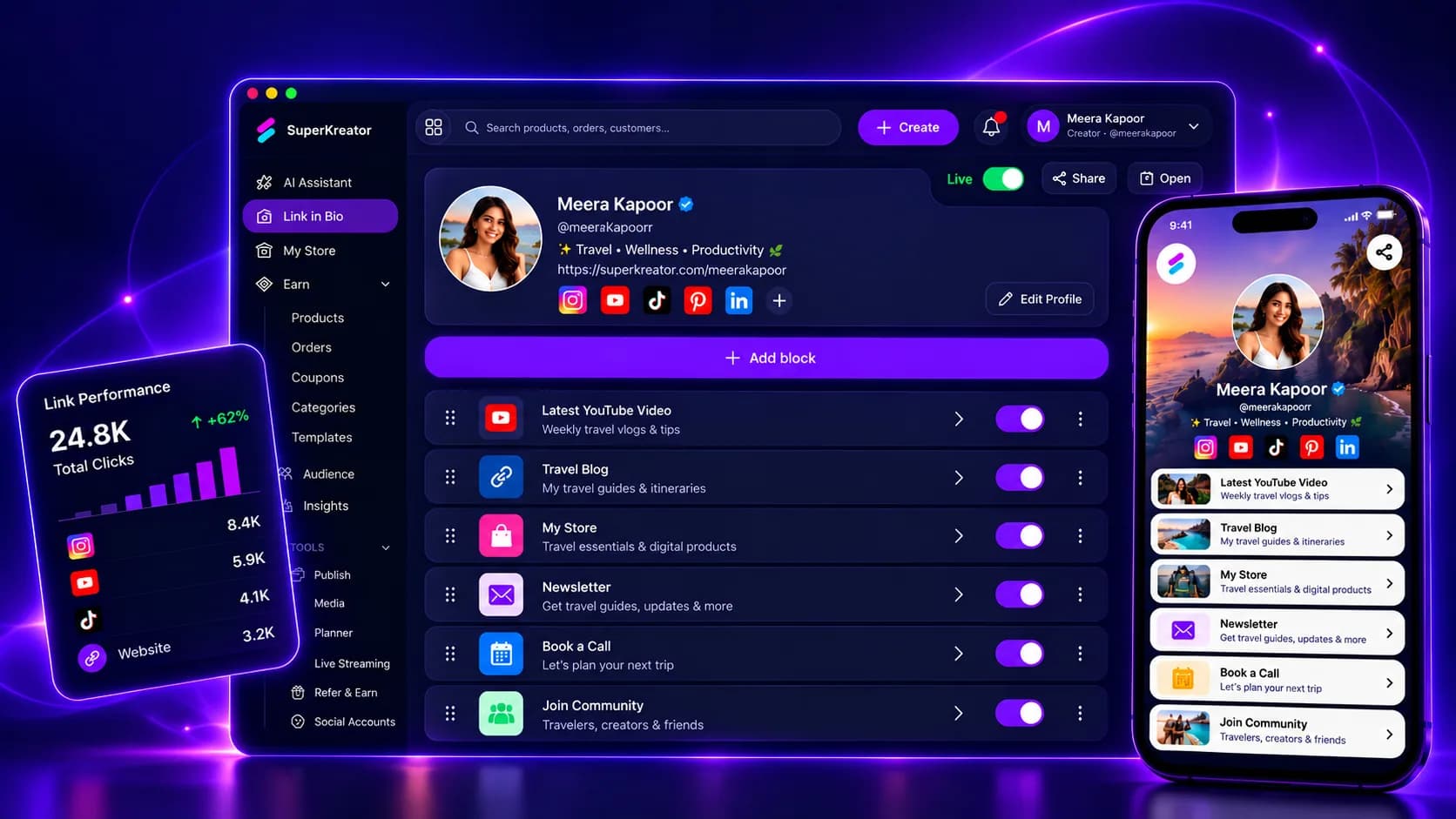
One public page for the links and socials you want people to find. It lives at your username and stays separate from the shop.
Who it’s for. Creators who are tired of a single Instagram website field.
What you get. A trackable page for socials, products, and booking links.
Store + UPI
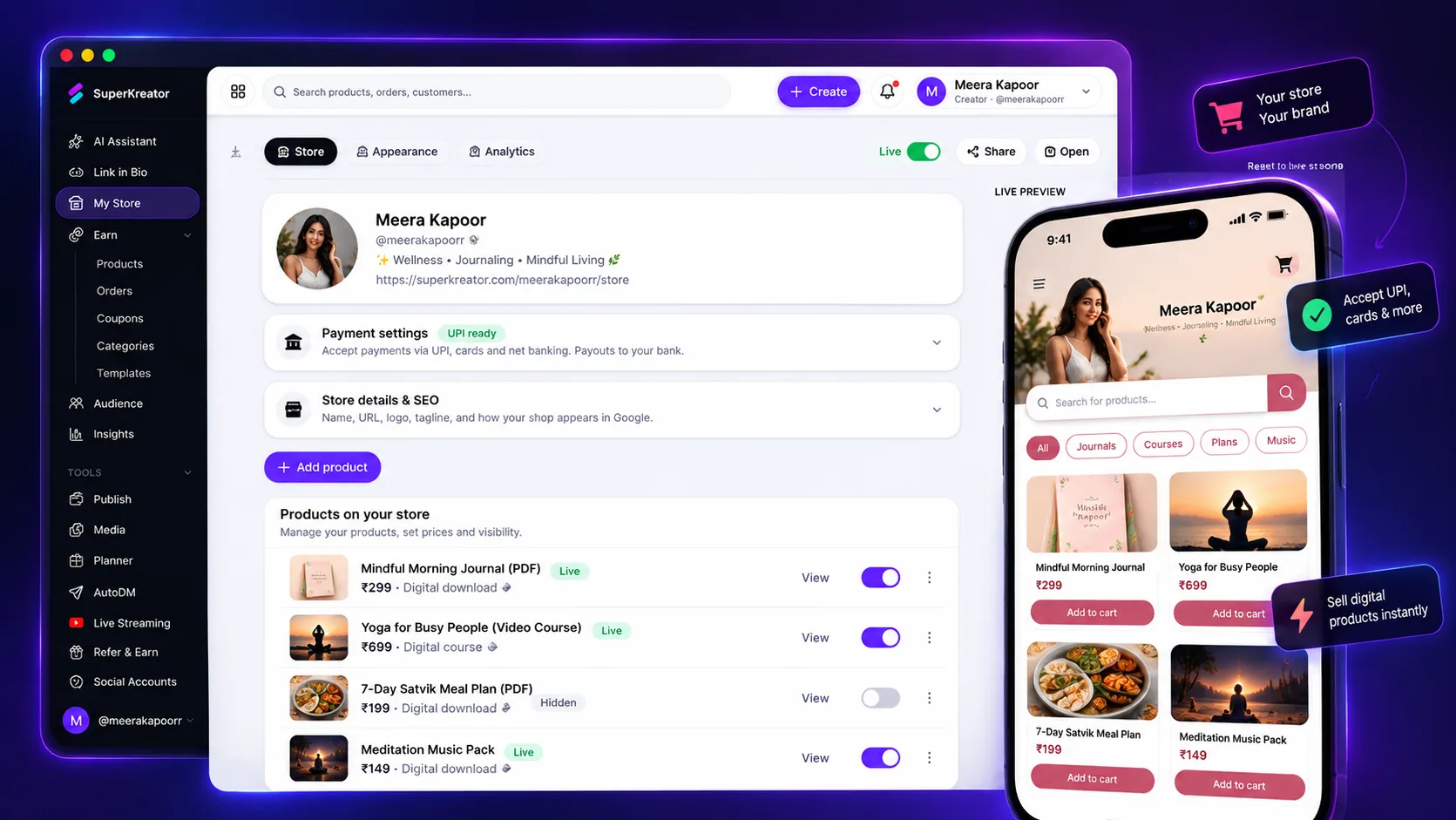
A shop for digital products, courses, files, and sessions, priced in rupees. Buyers pay with UPI, cards, or net banking through Cashfree. Files unlock after payment is verified.
Who it’s for. Coaches and educators selling to an India-first audience.
What you get. Checkout and delivery on the same username as the bio, on a different page.
AutoDM
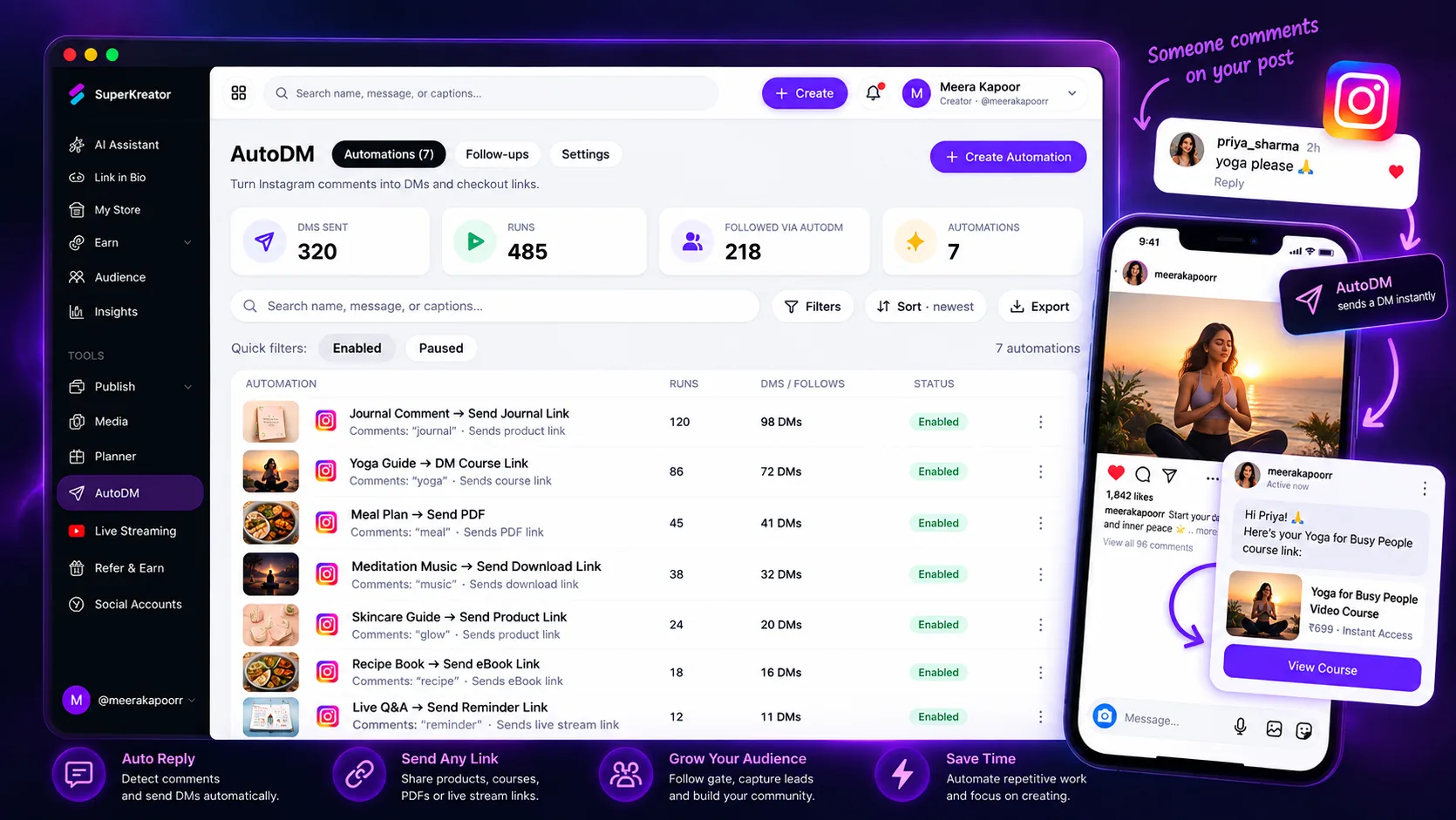
When someone comments, replies to a story, or messages you, SuperKreator can send the DM while the post is still fresh. Follow-to-unlock can hold the link until they follow you. That gate is a Creator feature.
Who it’s for. Creators whose comments are the queue, not a novelty.
What you get. A reply path into your offer, on Instagram’s official messaging API. It is a selling pipe, not a flow-builder canvas.
Planner
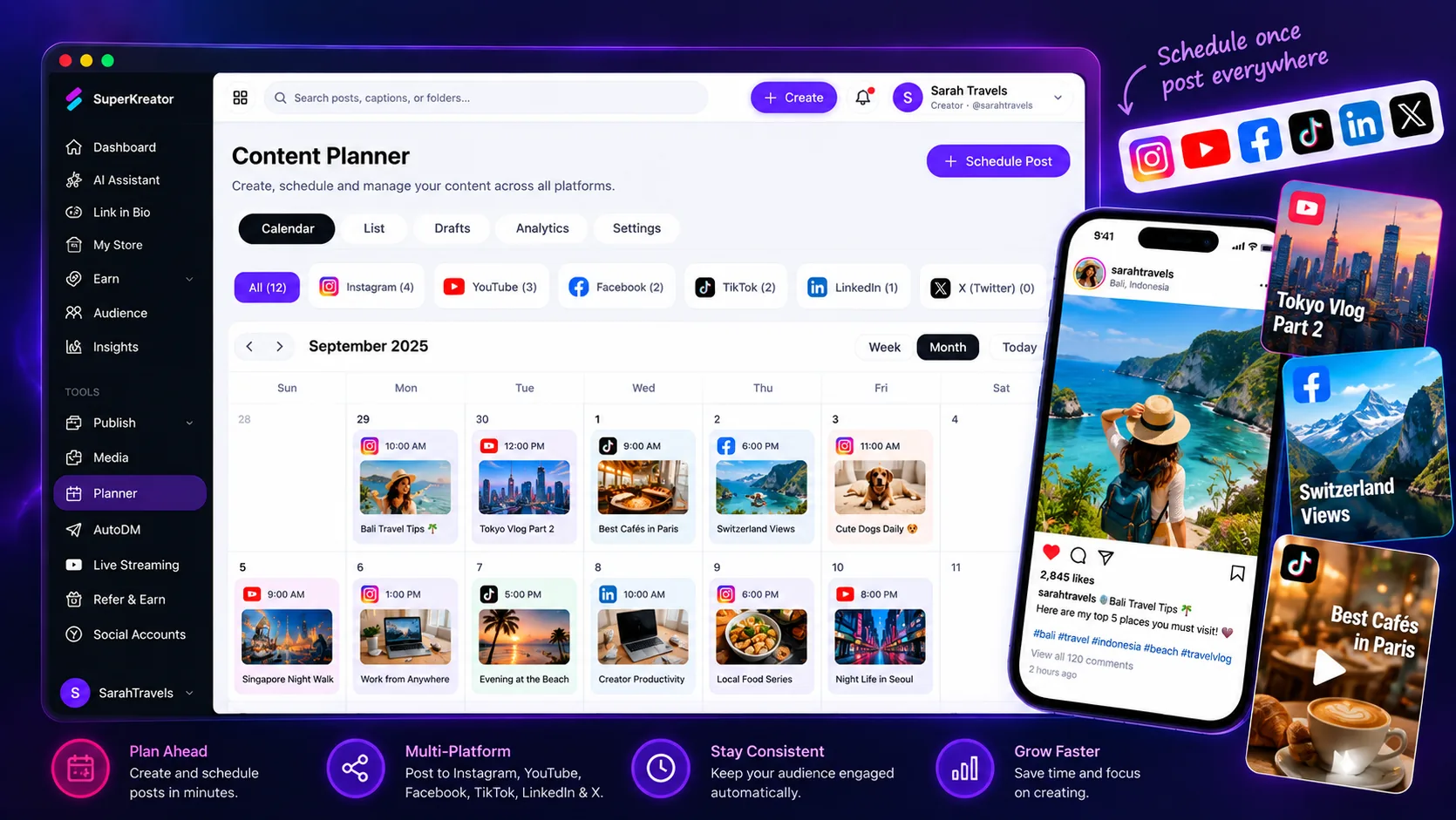
A calendar for Instagram and YouTube. Plan the week, attach the asset, and see what is scheduled, publishing, or already out.
Who it’s for. People who batch content and do not want a second tab for the calendar.
What you get. One planner inside the same login as the store and the DMs.
Auto publish
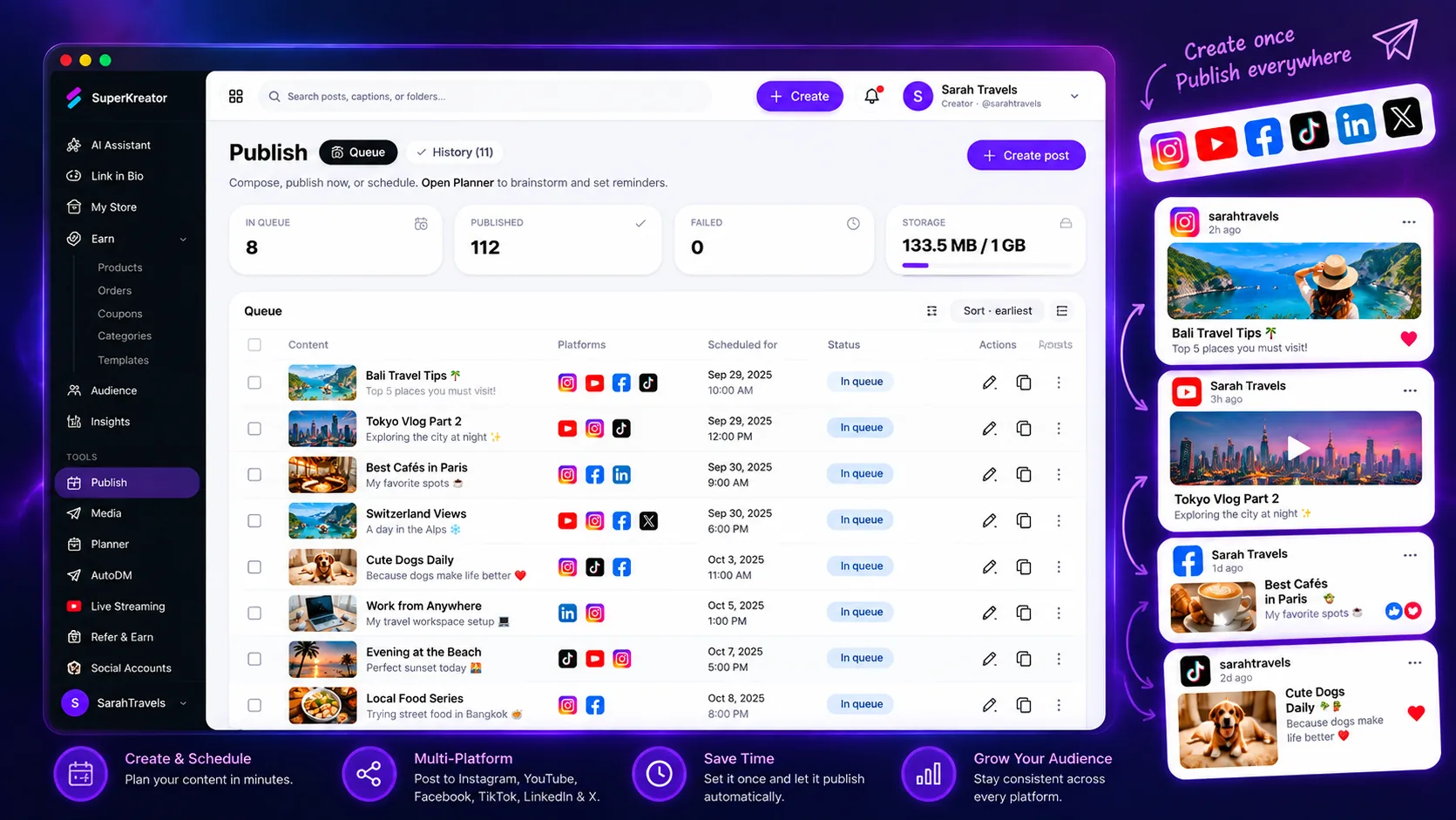
Scheduling that actually posts. Instagram and YouTube, from the plan you already made. TikTok is not a publish destination.
Who it’s for. Operators who want the post to leave on time without opening each app.
What you get. Schedule and publish from the workspace.
LIVE 24/7
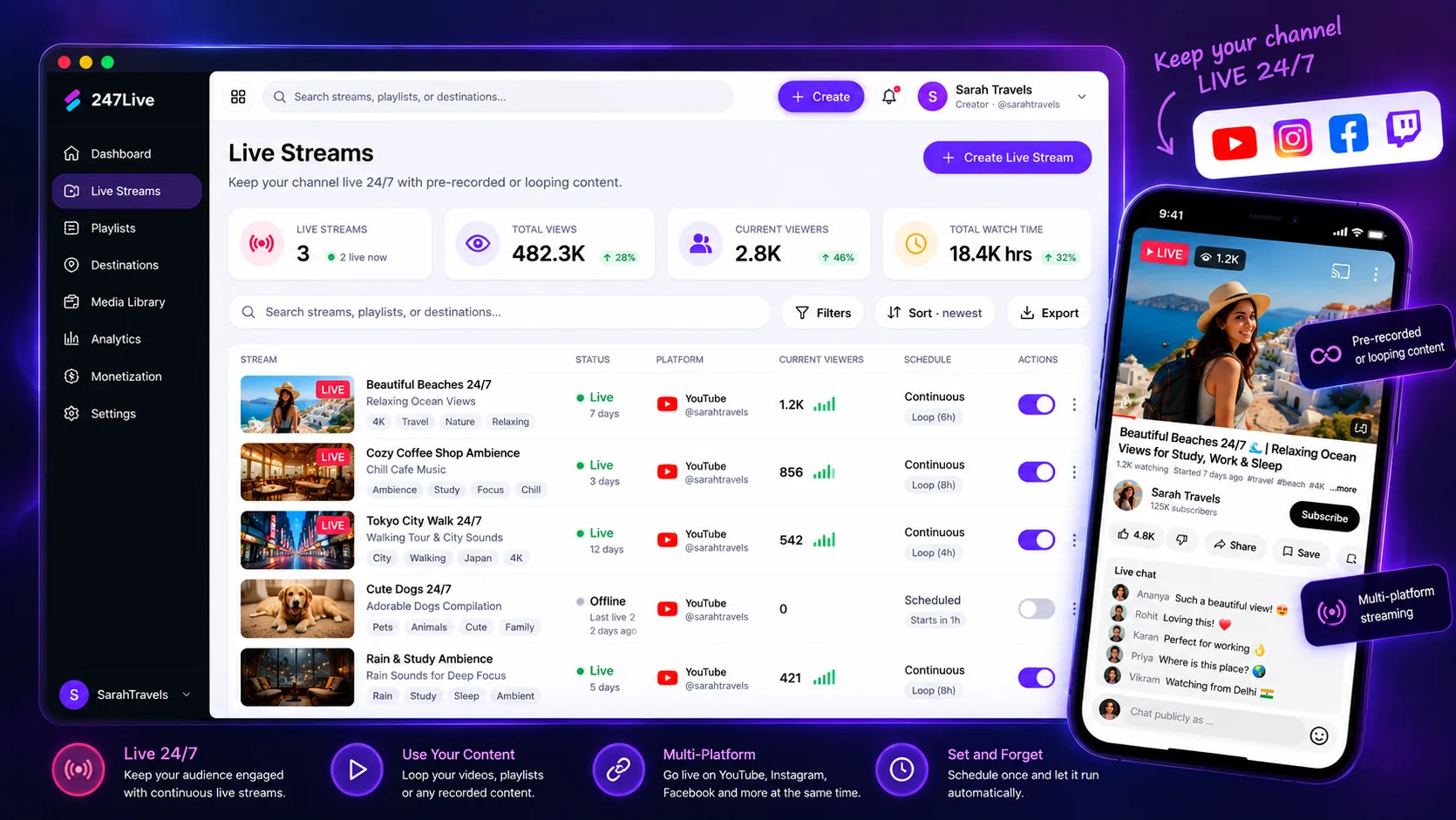
Turn uploaded video into a YouTube LIVE stream that keeps running. Useful for bhajan channels, desks, and anyone whose channel should stay on after the laptop sleeps.
Who it’s for. Live-plan operators, not a one-off premiere.
What you get. Cloud playout from the Live dashboard, instead of babysitting OBS.
Custom domain
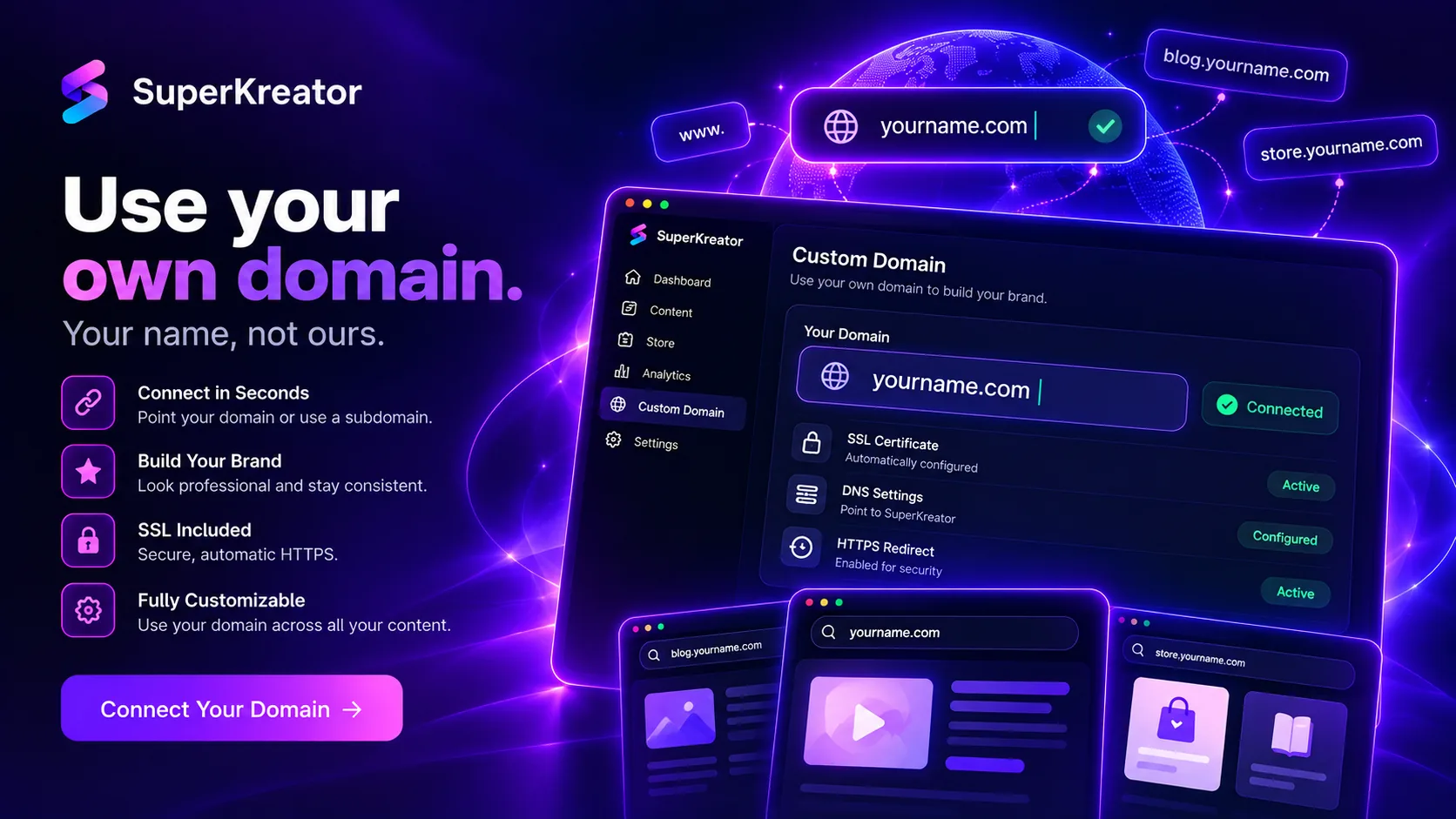
Put your own name on the public page. Visitors see yourname.com instead of a SuperKreator path.
Who it’s for. Creators who already own a domain and want the bio or store on it.
What you get. Your name on the link you paste into Instagram and YouTube.
MCP agents
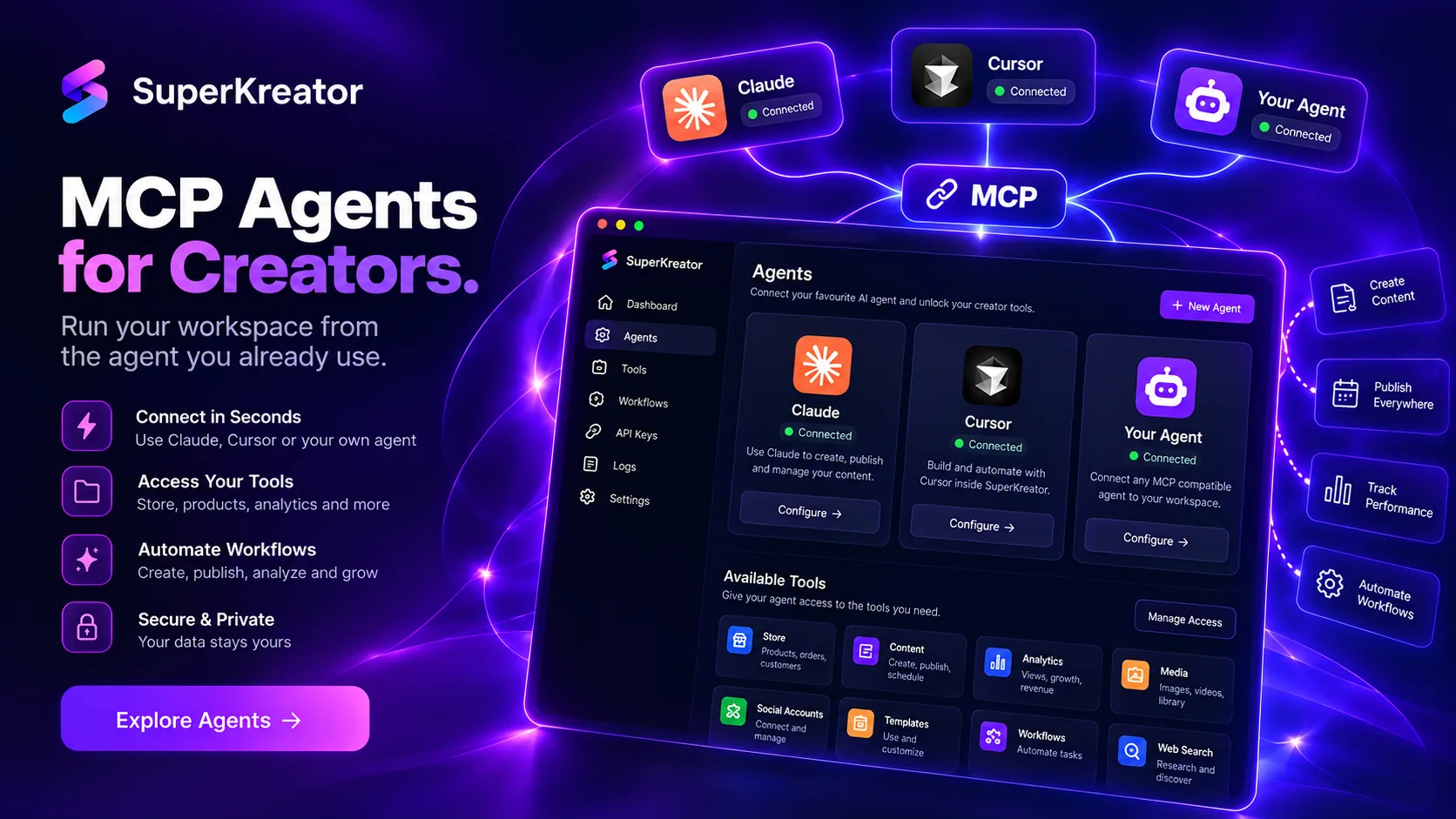
Claude, Cursor, or another MCP client can read and update the workspace with a scoped key. The dashboard stays the place you design the page. The agent is how you operate it from the tool you already have open.
Who it’s for. Creators who already work inside an agent and do not want a ninth browser tab.
What you get. The same workspace, reached from the agent.
Also in the workspace
These sit beside the products above. They are part of the login, not separate tools to buy.
- AI writes product copy, DM text, captions, and campaign packs.
- Analytics shows what the page and the posts are doing.
- Bookings put a calendar on a bookable service.
- Coupons and team are there when the shop or the crew gets bigger.
- Follow-to-unlock holds an AutoDM link until the person follows you. It turns on with Creator.
Conclusion
Claim a username and open the link first. Add the store or AutoDM when you have something to sell. Pricing for Free, Creator, and Live is on the homepage.
Frequently asked questions
Is the store the same page as the link in bio?+
No. The bio is the link page. The store is the shop on the same username. You can run one, the other, or both.
Does auto publish post to TikTok?+
No. Auto publish schedules Instagram and YouTube.
Do I need Creator for follow-to-unlock?+
Yes. You can preview the follow gate on the free plan. It sends only after you upgrade.
Do agents replace the dashboard?+
No. Agents call the same workspace. You still design the page, products, and automations in SuperKreator.
SuperKreator
Bio, UPI store, and the rest of the workspace — free to start.
India-first ladder on the homepage: Creator ₹99/month (₹9 first month, highlighted), Free ₹0, Live ₹499/month (₹99 first month), Business custom. GST extra. Cashfree processor fees apply on sales. SuperKreator does not currently publish a platform seller-fee percentage.
Related

Docs
Getting started with SuperKreator
Sign in with Google, claim a name, publish a page, add a product, and take a test payment. That is the whole first hour.
Updated 2026-09-15 · 6 min

Guides
The India creator stack: bio, store, AutoDM, calendar — and when one vendor is enough
Most Indian creators do not need five subscriptions. They need a clear job for each tool — and permission to delete the rest.
Updated 2026-09-10 · 9 min

Competitor guides
Linktree — How the default bio link works, what it costs, and when to leave it
Linktree is the default public page many creators put in an Instagram, TikTok, or YouTube bio so followers can reach more than one destination from a single URL.
Updated 2026-09-10 · 12 min
Articles
A link in bio that holds everything else
Put one URL in Instagram or YouTube. That page lists the links that do not fit in a single website field.
Updated 2026-10-06 · 6 min