
Blog · Articles
A planner for Instagram and YouTube
Batch the week once. The calendar shows the asset, the day, and whether the post is still waiting to go out.
Last updated October 6, 2026 · 5 min read · Edited by SuperKreator editorial (Graphity Technology Private Limited)
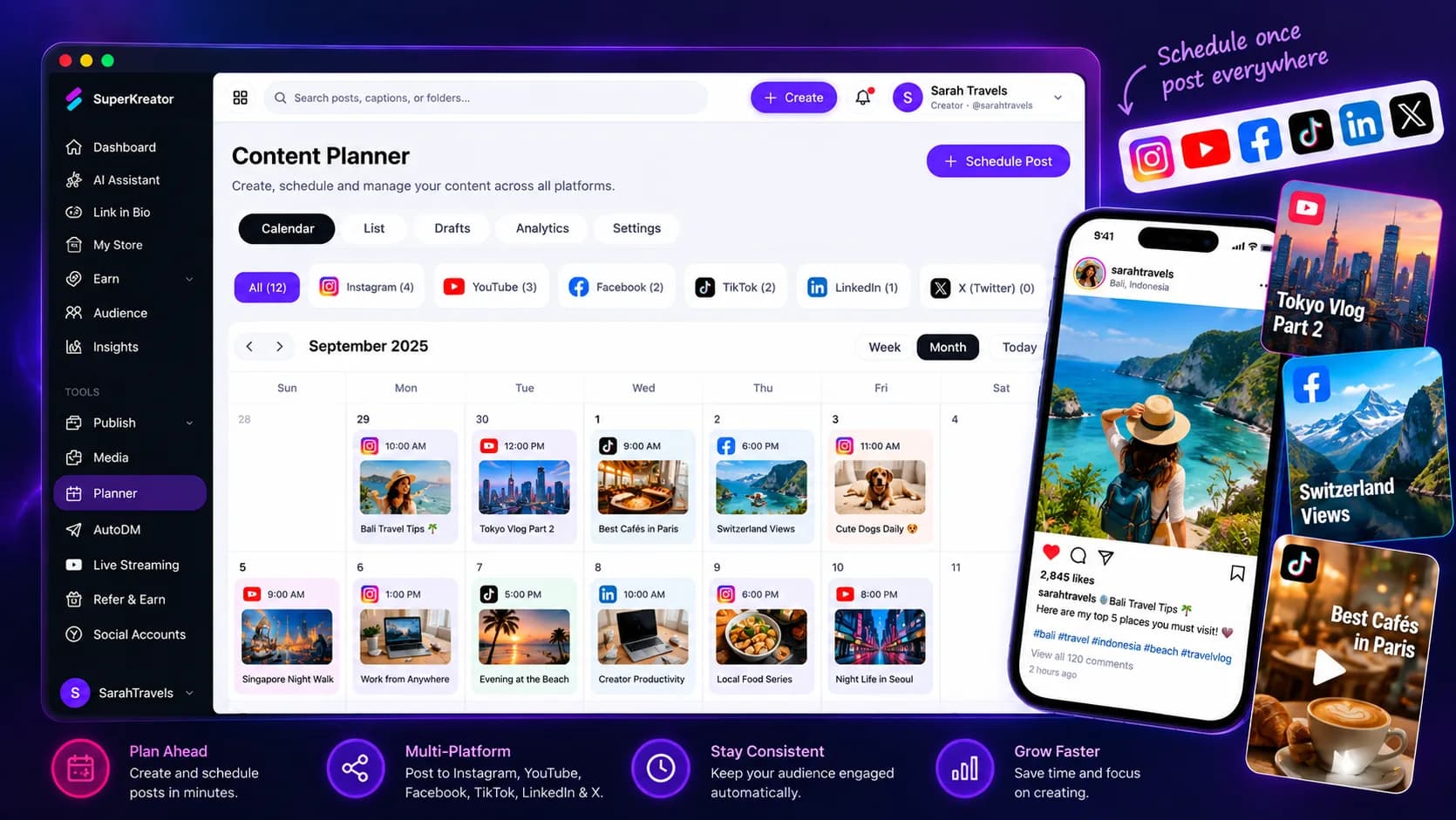
The planner is the calendar for Instagram and YouTube inside SuperKreator. You attach the asset, pick the day, and see what is scheduled, what is publishing, and what is already out.
Planning is not the same job as sending. Auto publish is what posts to the connected account when the time arrives.
How the planner works
Connect Instagram, YouTube, or both. Add the caption and the media, then place the post on the calendar.
The board shows the state of each item: scheduled, publishing, published, or failed. You can fix a caption before the time locks the send.
The same week can sit next to a product launch. The post and the store offer do not have to be planned in different products.
What the planner covers
The planner covers Instagram and YouTube. It is not a full social suite with ads reporting, competitor listening, or a client approval chain.
It does not go live on YouTube by itself. Overnight streams are LIVE 24/7. The planner is for posts you intend to publish, not for an always-on broadcast.
If the account is disconnected, the calendar can still hold the draft. The send waits until the account is connected again.
Why plan inside the workspace
The caption, the product, and the AutoDM that answers comments on that post are in one place. You are not copying a link between a scheduler and a shop.
Batching the week is the habit. The calendar is just where that batch becomes visible.
You still review what failed. A red status is more useful than a tool that only shows a pretty grid.
Planner compared with Metricool
Metricool is a social management product: calendar, analytics, competitor snapshots, and ads reporting. Use it when those reports are the job.
Use the SuperKreator planner when the job is the week of Instagram and YouTube posts beside a UPI store and AutoDM. Metricool will not run your checkout. This planner will not replace a full ads desk.
Sending the planned post is the next page: auto publish.
Conclusion
Put this week's posts on the calendar, then turn on auto publish for the ones that should leave on time. Open the planner, or start for free and connect a social account first.
Frequently asked questions
Which networks can I plan?+
Instagram and YouTube. Connect each account before a scheduled post can publish there.
Does the planner post for me?+
The planner holds the schedule. Auto publish sends the post to the connected Instagram or YouTube account at that time.
Can I see posts that failed?+
Yes. Each item shows whether it is scheduled, publishing, published, or failed.
Is this the same as 24/7 YouTube LIVE?+
No. The planner is for posts. LIVE plays uploaded video as an ongoing YouTube stream.
SuperKreator
Bio, UPI store, and the rest of the workspace — free to start.
India-first ladder on the homepage: Creator ₹99/month (₹9 first month, highlighted), Free ₹0, Live ₹499/month (₹99 first month), Business custom. GST extra. Cashfree processor fees apply on sales. SuperKreator does not currently publish a platform seller-fee percentage.
Related
Articles
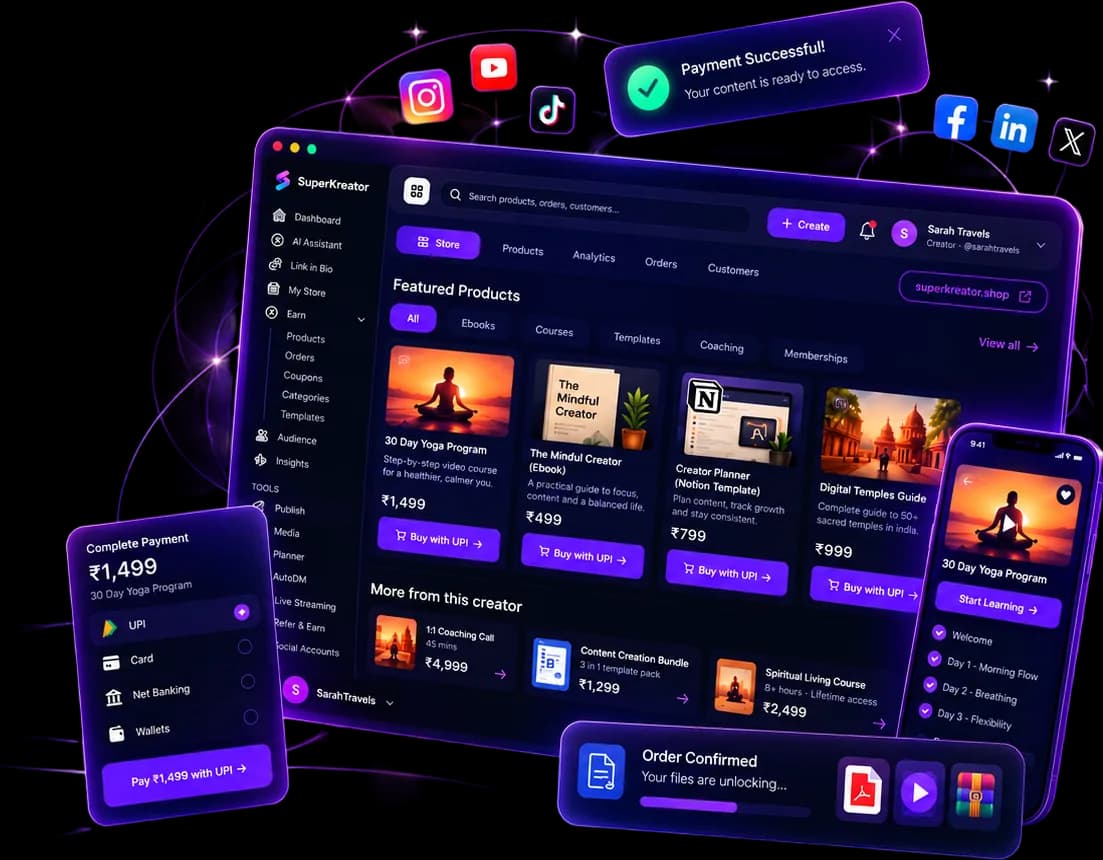
What you can run from one SuperKreator login
Eight products, one workspace. Start with the link. Add the shop, the DM, and the stream when that is where the sale happens.
Updated 2026-10-06 · 6 min
Articles
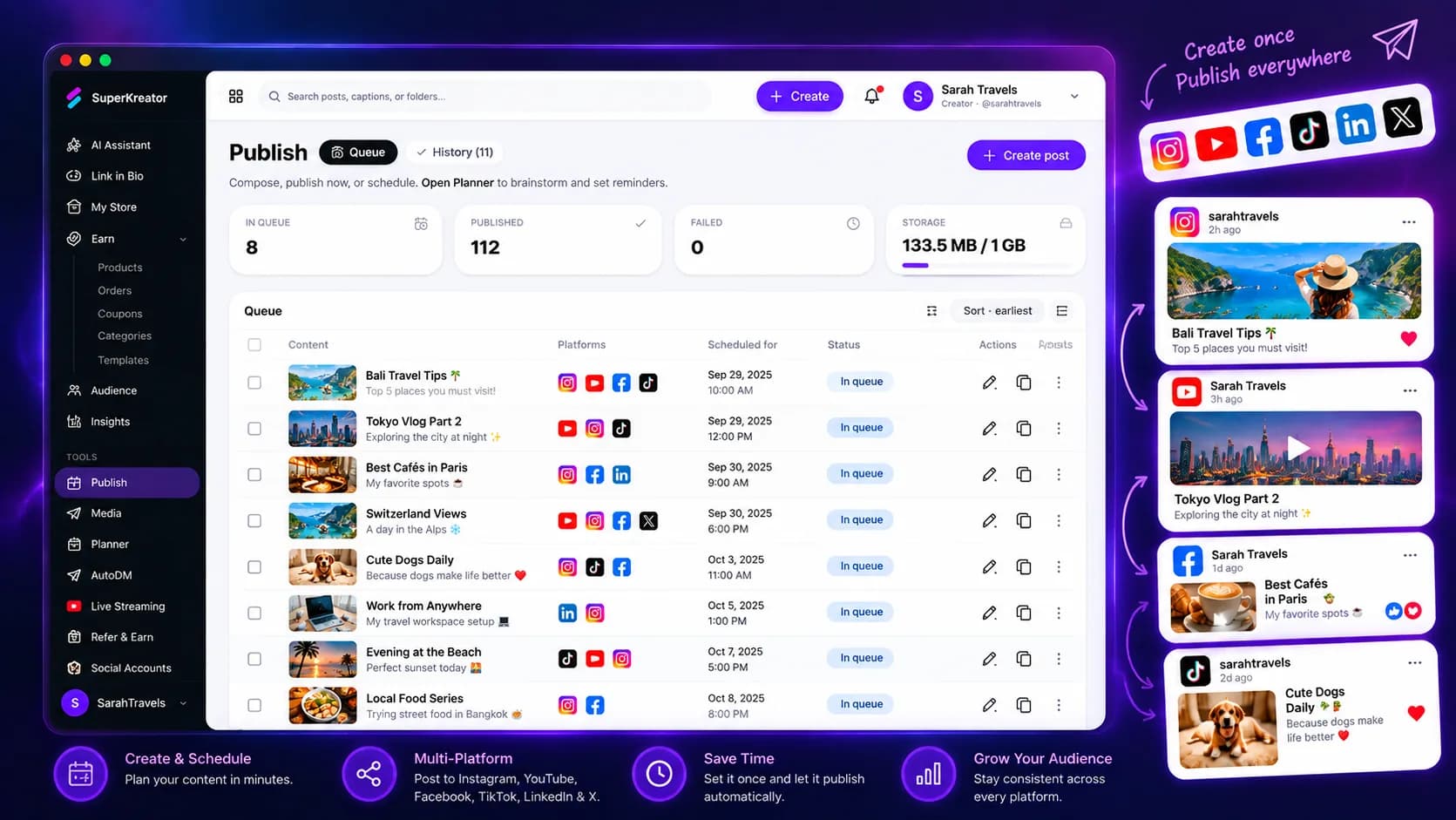
Auto publish for Instagram and YouTube
The calendar decides when. Auto publish is the send to Instagram and YouTube.
Updated 2026-10-06 · 6 min
Articles
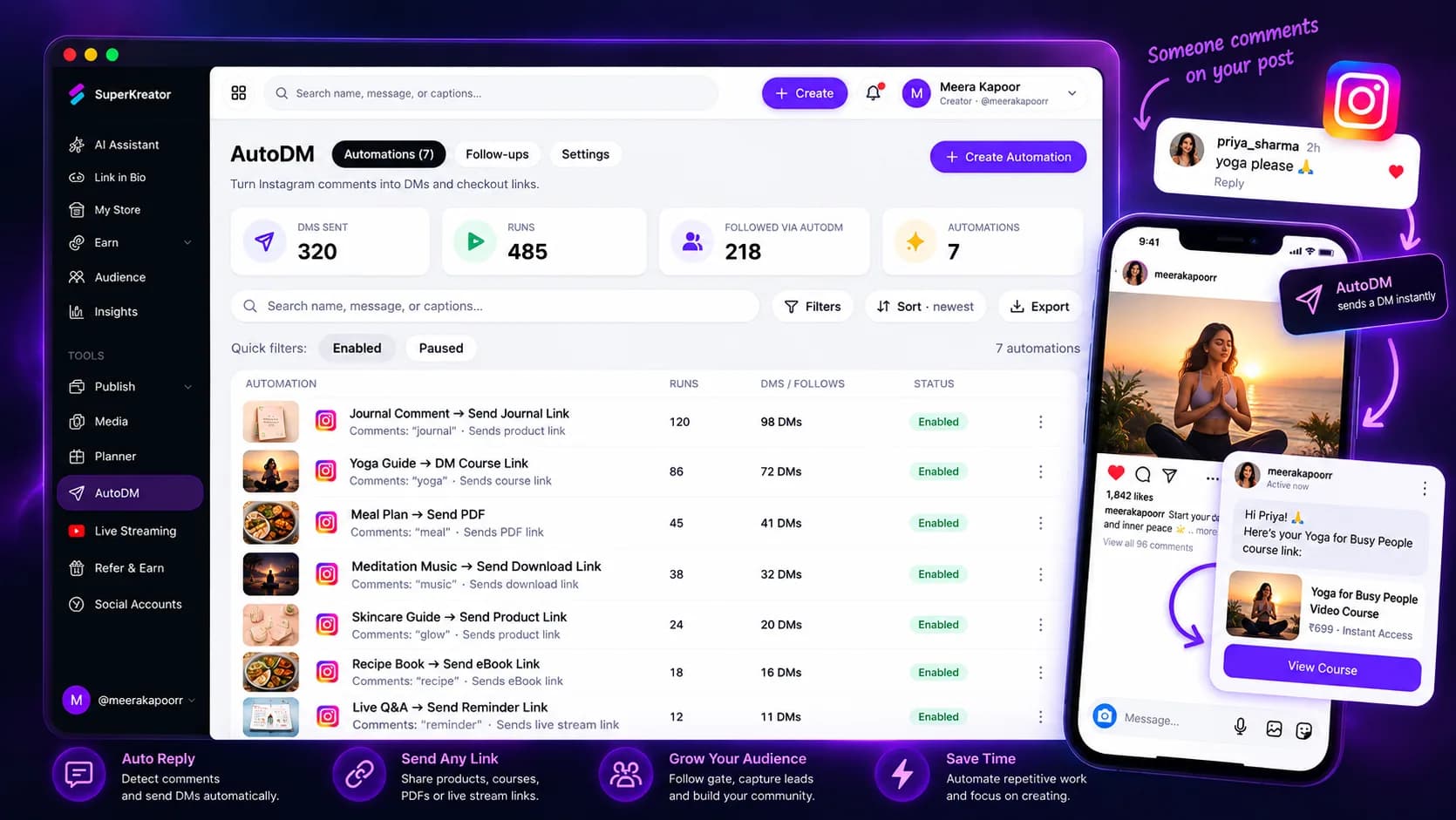
Instagram AutoDM that answers while the reel is live
Someone comments. They get the DM while the post is still moving, with a button into your link or checkout.
Updated 2026-10-06 · 7 min

Competitor guides
Metricool — Social analytics and scheduling for people who already have a store elsewhere
Metricool is a social scheduling, analytics, and competitor-tracking platform organized around “brands.” Creators and agencies use it as a control room for posts — not as a store or an Instagram inbox.
Updated 2026-09-10 · 11 min